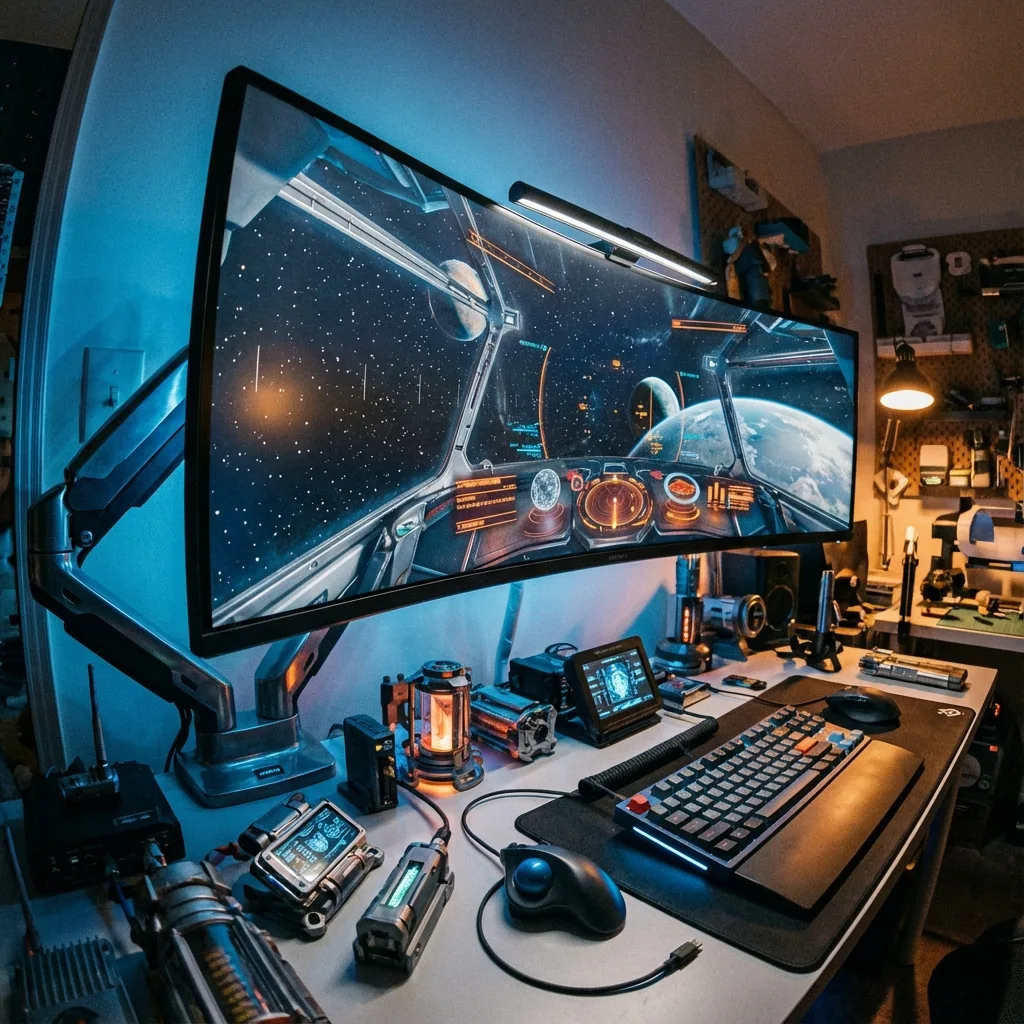
当你第一次亲眼见到一台 49 英寸的 32:9 超带鱼屏时,那感觉相当离谱。它宽得有点滑稽,像 IMAX 银幕一样把你的视野整个包裹起来。然后你开始在上面玩游戏,才意识到:这既是你能买到的最好的游戏显示器,也是最糟糕的那一台。
我已经把一台三星 Odyssey G9 当主力机用了一年多。我体验过那些令人难以置信的巅峰时刻(在完整 32:9 的壮丽画面里玩赛车模拟),也尝过那些令人抓狂的低谷(90% 的游戏要么看起来很糟糕,要么根本不支持这个分辨率)。这篇指南就是我学到的、关于如何真正在 32:9 超带鱼屏上游戏的全部心得。
什么是 32:9 分辨率?(详解 5120×1440)
32:9 就是所谓的「超带鱼屏」宽高比——宽得如同两台 16:9 显示器并排放在一起,而且中间没有边框。 最常见的 32:9 分辨率是 5120×1440,也叫 Dual QHD(相当于两块 2560×1440 面板的像素量)。
| 32:9 分辨率 | 名称 | 像素量 | 相当于 |
|---|---|---|---|
| 5120×1440 | Dual QHD | 740 万 | 2× 1440p——例如三星 Odyssey G9 / Neo G9 |
| 3840×1080 | Dual FHD | 410 万 | 2× 1080p——入门 / 老款 32:9 |
| 7680×2160 | Dual 4K | 1660 万 | 2× 4K——旗舰级,对硬件要求极高 |
作个参考,5120×1440 塞进了 740 万像素——比 4K 的 830 万还略少,可它在游戏里却难驱动得多,因为几乎没有几款游戏能正确渲染这种极端的 32:9 画面比例。
每个 32:9 用户都会撞上的坑: 很大一批游戏根本无法干净地渲染 5120×1440——要么 HUD 被拉伸,要么两侧黑边,要么干脆硬锁 16:9。日常真正好用的解法是一个 居中的 Game Stage:让游戏在一台虚拟显示器上以你选择的分辨率运行(原生 2560×1440,或者 1080p),在 G9 上完美居中,同时 Discord、OBS 和聊天填满旁边的空间。你在任何游戏里都能得到锐利的原生画面——而且因为你驱动的像素远少于完整的 5120×1440,你还能借此提升 FPS(最高 2 倍,实测)。下文详述。
32:9 超带鱼屏的体验
先从规格说起。一台 32:9 超带鱼屏本质上就相当于 两台 16:9 显示器并排放在一起,中间没有边框。
常见分辨率:
- 5120x1440(Dual QHD)—— 最常见,三星 Odyssey G9、Neo G9
- 3840x1080(Dual Full HD)—— 入门选项,老款型号
- 7680x2160(Dual 4K)—— 即将推出的旗舰型号,对硬件要求极高
5120x1440 这个分辨率拥有 730 万像素——比标准 4K(830 万)少,但比 5K(1470 万)多。1440p 的高度给了你纵向空间,而 5120 的宽度则简直是……过分了。
32:9 的过人之处
赛车与飞行模拟:这正是 32:9 大放异彩的地方。比如这些游戏:
- Assetto Corsa Competizione
- iRacing
- Microsoft Flight Simulator
- Elite Dangerous
- Euro Truck Simulator 2
这些游戏原生支持 32:9,并且把每一个像素都用得淋漓尽致。周边视野带来的提升堪称颠覆性。在赛车模拟中,你无需转头就能看到弯心标记、对手位置和出弯点。这是在单台显示器上能获得的、最接近三屏沉浸感的体验。
策略游戏:Total War、Civilization VI、Crusader Kings III——你能一次性看到地图的好大一片。这是实打实的战略优势。
生产力:32:9 不只是为游戏而生。工作时,你可以舒舒服服地把四个应用并排平铺,或者让代码编辑器 + 浏览器 + 终端 + Slack 同时显示出来。
32:9 令人抓狂的地方
大多数游戏并不能正确支持它。 我说的是绝大多数。
问题在于:
1. 完全不支持 32:9
- 游戏以 16:9 启动,两侧带着黑边
- 你用到的还不到显示器的一半
- 体验非常糟糕
2. UI 被拉伸到屏幕边缘
- 游戏以 32:9 渲染,但 UI 元素被甩到最左和最右的边缘
- 你的小地图在右边一米开外
- 血条在左边一米开外
- 你得不停地转头去看 UI
3. 鱼眼畸变
- 游戏支持 32:9,但 FOV 计算不正确
- 屏幕两侧看起来扭曲又怪异
- 容易引发眩晕
4. 竞技劣势
- 竞技游戏(Valorant、CS:GO、League)会主动限制带鱼屏,甚至直接禁用
- 你最后还是被迫以 16:9 游玩
- 显示器白买了
5. 性能挑战
- 730 万像素对硬件要求很高
- 你需要真正强劲的 GPU 性能
- 很多游戏连 60fps 都难以维持,更别提 144Hz 或 240Hz
这就是 32:9 游戏的肮脏秘密:你买了这台巨大的显示器,但只有大约 20% 的游戏里你才能用上它的完整宽度。
居中Game Stage(Game Stage)方案
下面说说我实际上是怎么用 G9 玩游戏的:我并不让大多数游戏跑在 32:9 上。
相反,我会创建一个 居中的 16:9 或 21:9 Game Stage(Game Stage),并用周围的空间来放 Discord、攻略、监控工具和直播软件。
布局示例:
- 中间:2560x1440 的Game Stage(16:9)用来运行游戏
- 左侧区域:Discord(640px)+ 直播聊天(640px)
- 右侧区域:OBS 预览(640px)+ 浏览器(640px)
游戏以舒适的 16:9 比例运行,UI 元素都落在我视野的中央区域。我依然能用余光看到 Discord 消息和直播聊天,无需 Alt-Tab 切换。即便被限定在一个区域内,游戏依然能获得全屏的性能表现。
这套方法解决了 32:9 的每一个主要问题:
- 适用于任何游戏 —— 即便是完全不支持带鱼屏的游戏,在 16:9 下也运行得很好
- UI 始终可见 —— 不会有 UI 元素跑到边缘逼你转头
- 性能更好 —— 2560x1440 比 5120x1440 要好驱动得多
- 屏幕空间有用武之地 —— 侧边区域是有功能的,而不是被浪费掉
唯一的缺点:你没有用上"完整的 32:9 游戏体验"。但说实话?对于 80% 的游戏来说,完整 32:9 本来就更差。
何时该用完整 32:9
对于那些真正支持得很好的游戏:
- 赛车模拟(Assetto Corsa、iRacing、Forza)
- 飞行模拟(MSFS、DCS、Elite Dangerous)
- 部分策略游戏(Total War、Civ VI)
- 支持它的开放世界探索游戏(Cyberpunk 2077、装 Mod 的 RDR2)
为这些游戏单独创建一个"完整带鱼屏"的区域配置。启动赛车模拟时切换过去,尽情享受沉浸式的 32:9 体验,玩别的时再切回居中的Game Stage。
49 英寸超带鱼屏的完美布局
我们来为 5120x1440 显示器设计几套实用布局:
布局 1:直播配置
目标人群:希望监控工具一直可见的主播
区域:
- Game Stage:2560x1440,居中(X=1280)
- Discord:640x1440,最左(X=0)
- 直播聊天:640x1440,左中(X=640)
- OBS 预览:640x1440,右中(X=3840)
- 浏览器:640x1440,最右(X=4480)
为什么有效:所有东西一目了然。游戏居中。往左一瞥看 Discord/聊天,往右一瞥看 OBS 状态。直播过程中无需 Alt-Tab。
布局 2:竞技游戏
目标人群:想要最大游戏画面、但又要保留部分 Discord 可见性的竞技玩家
区域:
- Game Stage:4480x1440,左对齐(X=0)
- Discord:640x1440,右侧(X=4480)
为什么有效:游戏几乎占满整个显示器(21:9 比例)。Discord 可见,方便团队沟通。干净又简单。
布局 3:MMO 团本
目标人群:需要随时查看公会聊天和攻略的 MMO 玩家
区域:
- Game Stage:3200x1440,居中(X=960)
- Discord:960x720,左上(X=0, Y=0)
- 浏览器:960x720,左下(X=0, Y=720)—— 用于查看攻略/Wiki
- 音乐/工具:960x1440,右侧(X=4160)
为什么有效:MMO 能从更宽的视野中受益(使用 3200px 的Game Stage)。Discord 和浏览器在左侧上下堆叠,方便随时查阅。工具区域留给你需要的其他任何东西。
布局 4:完整带鱼屏游戏
目标人群:赛车/飞行模拟,以及原生支持 32:9 的游戏
区域:
- Game Stage:5120x1440,整块屏幕
- 最少或完全没有其他区域
为什么有效:在支持的游戏里把每一个像素都用于完整沉浸。只在那些值得的游戏上切换到这个配置。
布局 5:游戏 + 生产力
目标人群:在同一台显示器上于游戏和工作之间切换的人
区域:
- Game Stage:2560x1440,左对齐(X=0)
- 工作应用:2560x1440,右侧(X=2560)
为什么有效:完美的 50/50 分屏。游戏在左,工作用的浏览器/代码编辑器/Slack 在右。或者在游戏时段隐藏工作区域,反之亦然。
32:9 下的游戏兼容性
让我帮你省点儿心。下面是热门游戏在现实中的兼容情况:
原生支持 32:9(运行极佳)
赛车/飞行模拟:
- Assetto Corsa Competizione
- iRacing
- Forza Horizon 5、Motorsport
- Microsoft Flight Simulator
- Euro Truck Simulator 2
- DCS World
- Elite Dangerous
策略:
- Total War 系列(Warhammer、Three Kingdoms)
- Civilization VI
- Crusader Kings III
- StarCraft II(需调整)
开放世界:
- Cyberpunk 2077(原生支持)
- Red Dead Redemption 2(原生支持)
- The Witcher 3(需 Mod)
- Forza Horizon 系列
- Assassin's Creed 系列(较新的几作)
可玩但 UI 被拉伸
这些游戏能跑 32:9,但 UI 在边缘(建议改用 16:9 Game Stage):
- Elden Ring
- Dark Souls III
- Monster Hunter World
- Destiny 2
- Warframe
- Apex Legends(UI 被拉伸)
不支持 32:9(请用 16:9 Game Stage)
- Valorant(锁定 16:9)
- Overwatch 2(锁定 16:9)
- League of Legends(限制在 21:9)
- CS:GO(竞技模式锁定 16:9)
- Fortnite(UI 有问题)
- 大多数竞技射击游戏
糟糕/损坏
- 老游戏(一般是 2015 年以前的)
- 许多独立游戏
- 没有 PC 带鱼屏补丁的主机移植版
如果 32:9 支持对你至关重要,买游戏前先去 PCGamingWiki 查一下。
32:9 的性能考量
要在高帧率下驱动 5120x1440 是很吃力的。我们来聊聊 GPU 需求:
60fps 游戏
5120x1440 下的 1440p:
- RTX 4070 / RX 7800 XT —— AAA 游戏中等/高画质
- RTX 4070 Ti / RX 7900 XT —— 高画质
- RTX 4080 / RX 7900 XTX —— 高/极高画质
在要求苛刻的游戏里你会需要 DLSS/FSR。
144Hz 游戏(G9/Neo G9 原生)
5120x1440 下 144fps:
- AAA 游戏至少需要 RTX 4080
- 极高画质需要 RTX 4090
- 预计要用 DLSS 的 Performance 或 Balanced 模式
144Hz 下的竞技游戏:
- RTX 4070 轻松搞定 CS:GO、Valorant、League 的 144fps+
- 这些游戏要求不高,你不会有问题
240Hz 游戏(Odyssey Neo G9)
5120x1440 下 240fps:
- 在 AAA 游戏里基本不可能,哪怕用 RTX 4090
- 竞技游戏(CS:GO、Valorant)配上 RTX 4070+ 可以达到 240fps
- 大多数游戏里你得降低画质或分辨率才能达到 240Hz
居中Game Stage带来的性能优势
真正的好处在这儿:让游戏跑在 2560x1440 而不是 5120x1440,渲染的像素只有一半——在 GPU 受限时最高可达约 2 倍帧率(实测)。
同样的 GPU、同样的画质(最佳情况,GPU 受限):
- 5120x1440:60fps
- 2560x1440:120fps
对竞技游戏来说,这是巨大的提升。通过使用Game Stage而非完整带鱼屏,你可以把 144Hz 或 240Hz 跑满。
三星 Odyssey G9 专属技巧
Odyssey G9(以及 Neo G9)是最受欢迎的 32:9 显示器。这里有一些专门的建议:
固件与驱动
保持固件更新。三星会发布修复以下问题的更新:
- VRR/G-Sync 闪烁
- 输入延迟问题
- 兼容性问题
每隔几个月去三星官网看看。
显示设置
游戏用:
- 画面模式(Picture Mode):Game
- 响应时间(Response Time):Fastest(如果你看到过冲拖影则选 Standard)
- 黑色均衡器(Black Equalizer):13-15(个人喜好)
- VRR:开
- HDR:Auto 或开(Neo G9 上的 HDR1000 令人惊艳)
桌面/生产力用:
- 画面模式(Picture Mode):sRGB 或 Custom
- 护眼模式(Eye Saver Mode):开(减少蓝光)
- 亮度:30-40(这块面板非常亮)
线缆要求
5120x1440 在 144Hz 或更高刷新率下:
- 需要 DisplayPort 1.4 线缆(随显示器附带)
- HDMI 2.0 最高只能到 120Hz(请改用 DP)
240Hz(Neo G9):
- 带 DSC(Display Stream Compression)的 DisplayPort 1.4
- 确保线缆是经过认证的 DP 1.4(劣质线缆经常掉链子)
曲率适应期
1000R 曲率(极度弯曲)需要时间适应:
- 头几天感觉怪异又失真
- 一周后你的大脑就会适应
- 一个月后,平面显示器看起来反而不对劲了
别在第一天就给显示器下定论。给它一周时间。
背光漏光与 VA 辉光
VA 面板(G9 用的是 VA)比 IPS 有更多的背光漏光。这是正常的。在暗场里,你可能会在四角看到辉光。这是 VA 换取更好对比度所付出的代价。
如果漏光过于严重(出现明亮的白斑),你拿到的可能是有缺陷的机器,值得申请 RMA。
常见 32:9 游戏问题(及解决办法)
"游戏以 16:9 启动,带着巨大的黑边"
游戏不支持 32:9。解决办法:
- 去 PCGamingWiki 查带鱼屏修复/Mod
- 改用 16:9 或 21:9 Game Stage
- 接受并非每个游戏都支持 32:9 这个事实
"游戏跑在 32:9,但 UI 根本看不清"
UI 元素被拉伸到边缘。解决办法:
- 用 Mod 把 UI 居中(看看 Nexus Mods、WideScreenFix、Flawless Widescreen)
- 在Game Stage里以 21:9 或 16:9 游玩
- 为了沉浸感而接受 UI 问题(主观选择)
"即便用强力 GPU,性能依然很糟糕"
5120x1440 要求很高。解决办法:
- 在游戏中启用 DLSS 或 FSR
- 把画质从极高降到高(往往视觉差别很小)
- 用 2560x1440 Game Stage获得更好的性能
- 把帧率上限设到显示器刷新率(超过 144Hz/240Hz 没有意义)
"启用 VRR 后显示器闪烁"
这是 G-Sync/VRR 的常见问题。解决办法:
- 更新显示器固件
- 更新 GPU 驱动
- 换一根 DisplayPort 线缆
- 在显示器设置里启用 VRR Control
- 在 Nvidia 控制面板里把最低帧率提高到 60fps
"颜色看起来发白或怪异"
显示器色彩配置问题。解决办法:
- 切换到 sRGB 模式以获得准确色彩
- 用 Windows 颜色校准进行校准
- HDR 方面,在 Windows 11 中启用 Auto HDR
- 如果黑色显得过暗压死,调整黑色均衡器
"文字模糊或难以辨认"
缩放或 ClearType 问题。解决办法:
- 把 Windows 缩放设为 100% 或 125%(不要 150%+)
- 运行 Windows 的 ClearType 文本调谐器
- 离显示器稍微坐远一点
- 生产力用途上,考虑采用把"工作区"与游戏区分开的显示布局
"显示器随机黑屏"
DisplayPort 连接问题。解决办法:
- 把 DP 线缆两端重新插紧
- 换 GPU 上的另一个 DP 接口
- 更新 GPU 驱动
- 关闭显示器的省电功能
- 换一根经过认证的 DP 1.4 线缆
32:9 的生产力加成
我们来聊聊非游戏的用途:生产力。
一台 32:9 超带鱼屏本质上就相当于 两台 27 英寸显示器并排放在一起。用来工作,这简直太棒了:
软件开发:
- 代码编辑器(左半边)
- 带文档的浏览器(右半边)
- 或者三个面板:编辑器、终端、浏览器
视频剪辑:
- 时间轴(占满整个宽度)
- 预览(顶部中央)
- 工具(左/右两侧)
音乐制作:
- 完整的 DAW 时间轴一览无余
- 插件和混音台放在两侧
- 无需横向滚动
交易/数据分析:
- 多张图表并排
- 新闻推送
- 交易终端
内容创作:
- 参考图(左侧)
- 设计软件(中央)
- 聊天/反馈(右侧)
单屏、无边框的体验比双显示器更整洁。而且你可以用一个热键从生产力布局切换到游戏布局。
生产力 + 游戏混合配置
我的日常工作流:
上午(工作):
- 左半边:VS Code + 终端
- 右半边:带文档/Slack 的浏览器
下午(游戏):
- 热键切换到游戏布局
- 游戏放在居中的Game Stage
- Discord 在两侧可见
晚上(直播):
- 再按一个热键切到直播布局
- 游戏居中
- OBS、聊天、Discord 全都可见
一台显示器,三套完全不同的工作流,零手动窗口管理。
常见问题
32:9 分辨率是什么?
32:9 是超带鱼屏宽高比——宽得如同两台 16:9 显示器并排、中间没有边框。最常见的 32:9 分辨率是 5120×1440(Dual QHD);你还会在入门机型上看到 3840×1080(Dual FHD),在旗舰机型上看到 7680×2160(Dual 4K)。5120×1440 有 740 万像素——刚好略低于 4K——但它极端的宽度让 GPU 驱动起来要吃力得多。
三星 Odyssey G9 是什么分辨率?
三星 Odyssey G9 和 Neo G9 都是 5120×1440——一块 32:9 的「Dual QHD」面板,相当于两台 2560×1440 显示器并排。Neo G9 加入了 Mini-LED HDR 和 240 Hz;标准版 G9 是 144 Hz。
5120×1440 和 4K 是一回事吗?
不是。4K(3840×2160)是 830 万像素;5120×1440 是 740 万——略少一些,但铺在 32:9 的画面比例上,而非 16:9。它的总工作量比 4K 更小,可很多游戏对它的处理反而更糟,因为原生支持这种带鱼屏比例的游戏实在太少。
32:9 玩游戏值得吗?
取决于你玩什么。对于赛车、飞行和策略模拟,原生 32:9 令人惊艳。对于竞技射击、MMO 或那些带鱼屏支持很差的剧情向游戏,制胜之道是一个 居中的 Game Stage——游戏以舒适的分辨率居于正中,应用放在两侧分区。这套组合(在支持的地方享受沉浸式 32:9,其余场合一律用居中 Game Stage)正是让 G9 成为出色日常主力机的关键。
三星 Odyssey G9 还是 Neo G9——我该买哪个?
Neo G9 配有 Mini-LED,HDR 更出色(1000+ 尼特、局部调光),并且是 240 Hz 而非 144 Hz。如果你看重 HDR 且预算充足,选 Neo G9。如果你主要在意屏幕尺寸和分辨率,普通版 G9 也很出色且更便宜。
我可以用更低的分辨率跑 32:9 来换取更好的性能吗?
把整块面板降分辨率(比如在 5120×1440 屏幕上跑 3840×1080)会发糊——你是在给显示器喂非原生的像素。想要锐利地拿到高帧率,正确的做法是 Staged Game Stage:游戏在一台虚拟显示器上以你选择的分辨率(比如 1080p 或 1440p)原生渲染,并居中显示在你的 G9 上。原生画面、毫无拉伸——而且帧数最高可达 2 倍,实测,因为 GPU 驱动的像素远少于完整的 5120×1440。零帧延迟,无反作弊风险。
32:9 需要专门的 GPU 吗?
不需要「专门的」,但要够强——大致而言,舒适地原生驱动 5120×1440 至少要 RTX 4070 / RX 7800 XT,高刷新率则要 RTX 4080 级别。确保 GPU 带有 DisplayPort 1.4。或者干脆用居中的 Game Stage 把门槛整个拉低:原生渲染 1440p 或 1080p,让一块中端 GPU 也能跑出高帧率。
我能用 32:9 接主机(PS5、Xbox)吗?
主机输出 16:9,所以两侧会有黑边。有些显示器带有画中画(Picture-by-Picture)模式,可以把主机画面放在中央、PC 应用放在两侧——但 32:9 真的是为 PC 游戏而设计的。
32:9 超带鱼屏是一台两极分化的显示器。当它好的时候(赛车模拟、生产力、支持的游戏),它绝对令人难以置信。当它糟的时候(不支持的游戏、UI 问题、性能挣扎),它令人抓狂。
居中Game Stage这套方法,正是让 32:9 真正成为我日常主力机的关键所在。我既能在那些支持得很好的游戏里享受完整 32:9,又能为其他一切保留舒适的 16:9 或 21:9 配置。而且,侧边区域对 Discord、直播和生产力来说极其有用。
如果你正在考虑入手一台 49 英寸超带鱼屏,请带着现实的预期。它不是让每个游戏都变得更好的魔法方案。但对于合适的游戏,再配上聪明的区域管理,它带来的体验是任何其他显示格式都无法比拟的。
用 Staged 的基于区域的布局 优化你的超带鱼屏配置,它专为 32:9 游戏与生产力工作流而设计。