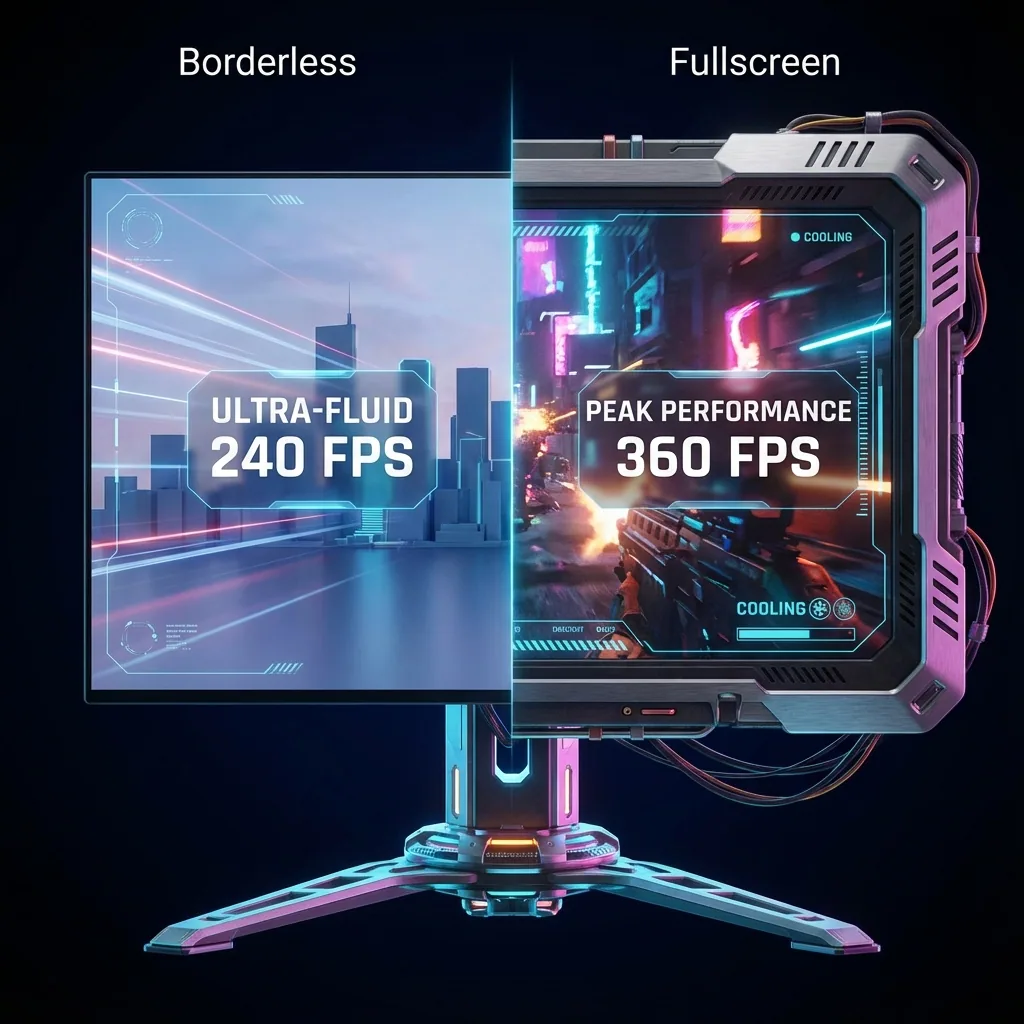
빠른 답: 전체화면 게임이 Alt-Tab 할 때 최소화되거나 일시정지되는 이유는, Windows가 한 번에 한 창에만 포커스를 주고 배타적 전체화면 게임은 그 포커스를 잃으면 최소화되기 때문입니다. 확실히 도움 되는 해결책은 두 가지입니다: (1) 게임을 무테(무경계) 창 모드로 바꿔서 Alt-Tab 해도 더 이상 최소화되지 않게 하거나(약간의 FPS·인풋렉 비용이 있고, 엔진이 일으키는 일시정지까지 막지는 못함), (2) 게임에게 자기만의 가상 디스플레이를 줘서 네이티브 전체화면을 유지하고 다른 곳을 클릭해도 절대 최소화되지 않게 하는 것입니다. 일부 엔진은 디스플레이와 무관하게 포커스를 잃으면 일시정지하는데, 그런 게임들도 대부분 "백그라운드에서 실행" 설정을 제공하므로 그걸 켜면 계속 돌아갑니다.
가장 많이 반복되는 PC 불만 중 하나죠: "Alt-Tab 하면 게임에서 튕겨 나와요", 또는 "포커스를 잃으면 게임이 일시정지돼요." Discord나 브라우저, 이메일을 확인하려고 클릭하는 순간 — 게임이 작업 표시줄로 떨어지거나 매치 중간에 얼어붙습니다. 왜 그런지, 그리고 어떻게 막는지 정확히 알려드립니다.
전체화면 게임이 Alt-Tab 할 때 최소화되거나 일시정지되는 이유
배타적 전체화면(exclusive fullscreen) 게임은 디스플레이를 직접 제어하고 키보드/마우스 포커스를 붙잡습니다. Windows는 한 번에 한 창에만 포커스를 줍니다. 그래서 Alt-Tab 하거나 다른 것을 클릭하는 순간:
- 포커스가 게임에서 다른 창으로 넘어갑니다.
- 배타적 전체화면으로 돌던 게임이 포커스를 잃었다는 걸 감지하고 최소화됩니다 — 많은 게임이 디스플레이를 Windows에 돌려주기 위해 일부러 그렇게 설계돼 있습니다.
- 이제 바탕화면을 보고 있게 되고, 게임은 작업 표시줄에 내려앉아 있죠.
최소화가 이야기의 전부는 아닙니다. 이와 별개로, 어떤 게임은 활성 창이 아니게 되는 순간 일시정지(또는 초당 몇 프레임으로 스로틀)하도록 코딩돼 있습니다. 이건 Windows가 아니라 게임 개발자가 정한 엔진 동작이라서, 어떤 디스플레이 트릭으로도 그 자체를 무력화할 수 없습니다. 두 문제는 뿌리가 다릅니다: 최소화는 밖에서 고칠 수 있는 디스플레이/포커스 문제이고, 일시정지는 게임(또는 게임별 설정)만이 제어하는 애플리케이션 선택입니다.
해결책, 순위대로
1. 게임을 무테(무경계) 창 모드로 바꾸기 (빠르지만 완벽하진 않음)
게임 영상 설정에서 무테 창 모드(때로는 "테두리 없는 창", "Windowed Fullscreen")를 고릅니다. 이제 게임이 일반적인 최대화 창처럼 동작해서, Alt-Tab 해도 더 이상 최소화되지 않습니다 — 다른 앱으로 넘어갔다가 돌아와도 게임이 작업 표시줄로 떨어지지 않죠.
- 장점: 즉시 적용되고, 요즘 대부분의 게임에서 됩니다.
- 단점: 배타적 전체화면을 데스크톱 컴포지터로 바꾸는 것이라 약간의 FPS 손실과 인풋렉이 생깁니다. 모든 게임에 이 옵션이 있는 건 아니고, 무엇보다 — 포커스를 잃으면 일시정지하도록 코딩된 게임은 이 방법으로도 막지 못합니다. 무테 창 모드는 최소화 문제를 고칠 뿐, 일시정지 문제는 못 고칩니다. 일시정지는 엔진이 정하기 때문이죠. 경쟁전을 하는 플레이어들은 늘어난 지연을 특히 싫어합니다.
2. 게임에게 자기만의 가상 디스플레이 주기 (네이티브 전체화면 유지, 절대 최소화 안 됨)
게임을 창에 가두는 대신, 별도의 가상 디스플레이에서 실행합니다. Windows가 그 디스플레이를 진짜 모니터처럼 취급하므로 게임은 진짜 네이티브 전체화면을 유지하고, 자기 화면을 갖고 있으니 다른 곳을 클릭하거나 Alt-Tab 해도 그 화면을 뺏기지 않습니다. Staged가 하는 일이 바로 이겁니다: 게임을 가상 디스플레이에서 돌리고, 그걸 물리 모니터 안의 **존(zone)**에 합성해서 보여주며, 다른 앱들은 그 주위 존에 배치합니다.
- 장점: 네이티브 전체화면 성능(무테 창의 페널티 없음), Alt-Tab 하거나 다른 곳을 클릭해도 게임이 절대 최소화되지 않음, 그리고 모니터가 하나여도 게임을 크게 켜 둔 채 다른 앱을 그 옆에 살아 있게 유지 — 추가 장비 없이 노트북에서도 됩니다.
- 솔직한 참고: 게임에게 자기 디스플레이를 주면 최소화와 화면 뺏김은 완전히 해결됩니다. 다만 엔진이 포커스를 잃으면 일시정지하는 게임에게 계속 시뮬레이션하라고 강제할 수는 없습니다 — 그건 앱이 제어하니까요. 다행히 그런 게임들은 대부분 "백그라운드에서 실행"(또는 "포커스 상실 시 일시정지: 끔") 설정을 제공하므로, 그걸 켜면 다른 앱을 쓰는 동안에도 게임이 계속 돌아갑니다. 또한 Staged는 Windows 기본 토글이 아니라 전용 도구입니다.
3. 서드파티 "최소화 방지" 유틸리티 (될 때도, 안 될 때도)
창이 비활성화되는 걸 막으려는 도구들("비활성화 방지" 옵션이 있는 창 관리자, "포그라운드 유지" 핵 등)은 일부 게임에서 도움이 됩니다. 하지만 그 개발자들 스스로 "모든 게임에서 되지는 않는다"는 Windows의 한계라고 밝히고 있고, 배타적 전체화면 게임은 이런 설정을 무시하는 경우가 잦습니다. 확실한 해결책이 아니라 "될 수도 있는" 선택지로 생각하세요.
그래서: 최소화 vs 일시정지 — 지금 뭐랑 싸우고 있나요?
정확히 구분하는 게 중요합니다. 해결책이 다르니까요:
- Alt-Tab 할 때 게임이 작업 표시줄로 떨어진다면, 그건 최소화 — 포커스/디스플레이 문제입니다. 무테 창 모드나 가상 디스플레이 둘 다 해결하며, 가상 디스플레이 방식은 네이티브 전체화면을 유지합니다.
- 게임이 화면에는 남아 있는데 얼거나 일시정지된다면, 그건 엔진이 일으키는 일시정지 — 애플리케이션의 선택입니다. 게임 설정에서 "백그라운드에서 실행" 또는 "포커스 없을 때 일시정지" 토글을 찾으세요. 그런 옵션이 없는 엔진은 어떤 외부 도구로도 안정적으로 무력화할 수 없습니다.
자기가 어느 쪽인지 알면 엉뚱한 해결책을 쫓지 않게 됩니다.
자주 묻는 질문
Alt-Tab 하면 게임이 왜 최소화되나요?
Windows가 한 번에 한 창에만 포커스를 주고, 배타적 전체화면 게임은 포커스를 잃으면 최소화되기 때문입니다 — 디스플레이를 바탕화면에 돌려주는 거죠. Alt-Tab 하면 포커스가 넘어가서 게임이 작업 표시줄로 떨어집니다. 무테 창 모드로 바꾸거나 게임을 자기만의 가상 디스플레이에서 실행하면 이 최소화를 막을 수 있습니다.
포커스를 잃으면 게임이 왜 일시정지되나요?
게임의 엔진이 활성 창이 아니게 될 때 일부러 일시정지(또는 스로틀)하는 것입니다 — Windows가 아니라 개발자가 정한 선택이죠. 최소화와는 별개라서 디스플레이 트릭만으로는 못 고칩니다. 게임 설정에서 "백그라운드에서 실행" 또는 "포커스 상실 시 일시정지" 옵션을 확인하세요.
게임을 최소화하지 않고 Alt-Tab 하려면 어떻게 하나요?
게임을 무테 창 모드로 설정해 Alt-Tab 해도 작업 표시줄로 내려가지 않게 하거나, 전용 가상 디스플레이에서 실행해 어디를 클릭하든 자기 화면을 지키게 하세요. 가상 디스플레이 방식은 무테 컴포지터 비용을 치르는 대신 네이티브 전체화면 성능까지 그대로 유지합니다.
무테 창 모드로 하면 게임의 일시정지가 멈추나요?
아니요. 무테 창 모드는 최소화를 고칩니다 — Alt-Tab 할 때 게임이 작업 표시줄로 떨어지지 않게 하죠. 하지만 엔진이 포커스를 잃으면 일시정지하도록 코딩돼 있다면 여전히 일시정지됩니다. 그 동작은 애플리케이션이 제어하니까요. 그럴 땐 게임 자체의 "백그라운드에서 실행" 설정이 필요합니다.
다른 앱을 쓰는 동안 게임을 계속 돌릴 수 있나요?
대부분의 경우 가능합니다. 게임을 자기만의 가상 디스플레이에서 실행해 절대 최소화되지 않게 하고, 엔진이 포커스 상실 시 일시정지한다면 "백그라운드에서 실행" 설정을 켜세요. Staged를 쓰면 게임을 존 안에 크게 켜 둔 채 다른 앱을 그 옆에 도킹할 수 있어서, 한 모니터에서 둘 다 살아 있게 유지됩니다.
이렇게 하면 FPS가 떨어지나요?
무테 창 모드는 배타적 전체화면 대신 데스크톱 컴포지터를 거치게 되어 약간의 FPS 손실과 인풋렉이 생깁니다. 게임을 자기만의 가상 디스플레이에서 돌리면 이 컴포지터 경로를 피해 네이티브 전체화면 성능을 유지하고, 렌더 해상도도 직접 고를 수 있습니다.
Alt-Tab 할 때 게임이 떨어지지 않게 계속 플레이하기
Staged는 게임을 가상 디스플레이에서 실행해 Alt-Tab 해도 절대 최소화되지 않게 하고 — 한 모니터에서 게임을 크게 켜 둔 채 다른 앱들을 그 옆에 나란히 둡니다. Steam에 출시됩니다. 위시리스트에 추가하고 가장 먼저 플레이하세요.
함께 읽어보기: