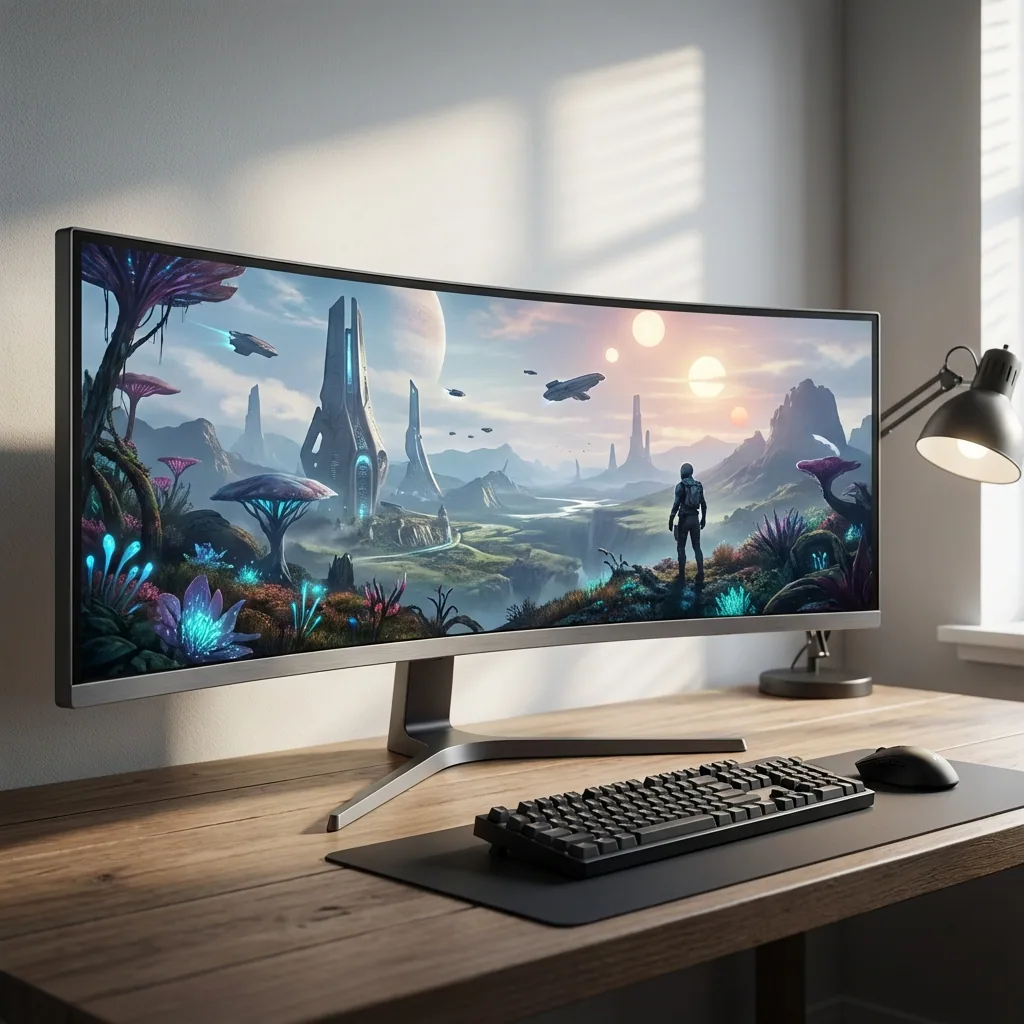
If you're reading this, you probably just dropped serious cash on an ultrawide monitor—maybe a 34" curved beast, or you went full send with a 49" super ultrawide. Either way, you booted up your first game and realized something frustrating: most games don't know what to do with all that glorious screen real estate.
I've been gaming on ultrawides for over 6 years now, and I've seen every problem you're about to encounter. Black bars on the sides. Games that stretch weirdly. UI elements stuck in the corners where you can't see them. The absolute tragedy of running a 21:9 monitor but only using the middle 16:9 portion.
This guide will walk you through everything you need to know about ultrawide gaming software, proper setup, and how to actually use that entire screen you paid for.
Why Ultrawide Gaming Is Different (And Why It's Amazing)
Ultrawide monitors—typically 21:9 or 32:9 aspect ratios—aren't just wider versions of normal monitors. They fundamentally change how you experience games.
The Immersion Factor
When you're playing a first-person shooter or racing game on an ultrawide, your peripheral vision is actually engaged. In games like Cyberpunk 2077 or Forza Horizon 5, the extra horizontal space makes you feel inside the game world. It's not marketing hype—it's genuinely transformative.
The Competitive Advantage
In competitive games like Valorant, CS2, or League of Legends, that extra screen space means more map awareness. You can see enemies approaching from wider angles. Your minimap can sit comfortably in your peripheral vision without blocking the action.
The Problem Nobody Warns You About
Here's what they don't tell you at Best Buy: most games don't support ultrawide out of the box. And even games that do often have annoying quirks.
Common Ultrawide Gaming Problems (And How to Fix Them)
Problem 1: Black Bars (Pillarboxing)
You boot up a game and see thick black bars on both sides of your screen. The game is running at 16:9 in the middle of your 21:9 monitor. This happens with older games, console ports, and some competitive titles that lock aspect ratios.
Solutions:
- Check if the game has ultrawide support via PC Gaming Wiki
- Use mods like Flawless Widescreen (works for many single-player games)
- For competitive games, you might be stuck—developers often lock aspect ratios for fairness
- Some games require .ini file tweaks to unlock ultrawide resolutions
Problem 2: Stretched or Distorted Graphics
The game fills your screen but everything looks wrong. Characters are stretched horizontally, UI elements are in weird positions, and FOV is all messed up.
Solution: This usually means the game is forcing a 16:9 image to fill 21:9 space. You need to find the proper ultrawide resolution in settings or use community patches.
Problem 3: Wasted Screen Space
This is the one that drives me crazy. You're playing fullscreen, but you have Discord open on your second monitor. Or you want to see your stream chat. Or you want YouTube playing in the corner. But fullscreen games lock you out of everything else.
Traditional Solutions:
- Run games in borderless windowed mode (kills performance in many games)
- Alt-tab constantly (breaks immersion, causes stuttering)
- Buy a second monitor just for Discord (expensive, requires desk space)
The Better Solution: This is exactly why I built Staged. It creates a dedicated "Game Stage" zone on your ultrawide where games run with native fullscreen performance, while other apps like Discord, OBS, or YouTube stay visible in surrounding zones. No borderless performance hit, no alt-tabbing.
Essential Ultrawide Gaming Software for 2025
Let me break down the software you actually need versus the stuff that's optional.
Must-Have: GPU Control Panel
NVIDIA Control Panel or AMD Adrenalin is where you'll set your native resolution (probably 3440x1440 or 5120x1440). Make sure your refresh rate is set correctly too—don't waste that 144Hz panel running at 60Hz.
Game-Specific: Flawless Widescreen
Free tool that patches games to support ultrawide resolutions. Works great for older titles and some modern games. The database isn't always up to date, but when it works, it's magic.
Caveat: Don't use this in online competitive games. Anti-cheat systems might flag it.
Optional: DisplayFusion or PowerToys FancyZones
These tools help you manage window positions across your ultrawide. DisplayFusion is powerful but expensive. PowerToys is free but more basic.
However, if you're gaming, these don't really solve the fullscreen problem. They're great for productivity—splitting your ultrawide into organized zones for work—but games in fullscreen mode ignore window management entirely.
That's where Staged vs DisplayFusion comes in. Staged is purpose-built for gaming, not just window management.
Purpose-Built: Staged
Full disclosure: I built Staged specifically to solve ultrawide gaming problems. Here's what makes it different:
- Native fullscreen performance in your Game Stage zone
- Persistent zones for Discord, OBS, browser—they stay visible while you game
- No alt-tabbing required to check chat or change songs
- Works with any aspect ratio (21:9, 32:9, even 16:9 if you want zones)
You can download Staged for free and try the zone-based setup yourself.
Step-by-Step Ultrawide Gaming Setup
Let me walk you through setting up the optimal ultrawide gaming experience.
Step 1: Configure Your Monitor
- Connect via DisplayPort (not HDMI—you want the full bandwidth)
- Open your GPU control panel
- Set your native resolution (3440x1440 for 34" ultrawides, 5120x1440 for 49")
- Enable your full refresh rate (120Hz, 144Hz, 165Hz, etc.)
- Turn on G-Sync or FreeSync if supported
Step 2: Test Game Compatibility
Before diving into software solutions, test your favorite games:
- Launch the game
- Go to graphics settings
- Look for your ultrawide resolution in the resolution dropdown
- If it's there, select it and test if everything looks correct
- Adjust FOV slider if available (usually need to increase it for ultrawide)
Many modern games (2020+) have good ultrawide support. Older games and competitive titles are hit or miss.
Step 3: Set Up Zone-Based Gaming (Staged Approach)
This is where ultrawide gaming gets really good. Instead of choosing between fullscreen performance OR visible apps, you get both:
- Install Staged from staged.gg/download
- Launch Staged and define your Game Stage zone (the main area where games will run)
- Create side zones for Discord, Spotify, OBS, or whatever you want visible
- Launch your game in the Game Stage
- The game runs with native fullscreen performance while your other apps stay visible
I personally run a 3440x1440 ultrawide with my Game Stage at 2560x1440 (centered), Discord on the left (440px), and Spotify on the right (440px). Everything is visible, with no borderless penalty — the game keeps native fullscreen performance.
Step 4: Optimize In-Game Settings
For ultrawide gaming, pay attention to these specific settings:
Field of View (FOV): Increase this! Default FOV (usually 70-90) feels zoomed in on ultrawide. I typically run 100-110 FOV in FPS games.
UI Scaling: Some games let you adjust UI size. On ultrawide, you might want to increase UI scale so elements aren't tiny.
HUD Position: Games like Cyberpunk 2077 let you adjust where UI elements appear. Move them toward the center so you're not looking at the far edges constantly.
Best Games for Ultrawide Gaming in 2025
Not all games are created equal on ultrawide. Here are the ones that absolutely shine:
Perfect Ultrawide Support
Cyberpunk 2077 - Native 21:9 and 32:9 support, FOV slider, adjustable UI. This game was made for ultrawide.
Forza Horizon 5 - Racing games are ultrawide's killer app. The peripheral vision is incredible.
Doom Eternal - Silky smooth performance, native ultrawide support, and the fast-paced action benefits from the wider view.
Microsoft Flight Simulator - If you have the GPU horsepower, ultrawide makes this the most immersive flight experience possible.
Baldur's Gate 3 - Gorgeous on ultrawide, and the extra space lets you see more of the tactical battlefield.
Good With Tweaks
Elden Ring - Requires mods for proper ultrawide support, but worth it.
Dark Souls series - Community patches exist for ultrawide, though UI can be wonky.
Competitive Games (Limited Support)
CS2, Valorant, Overwatch 2 - Most competitive shooters either don't support ultrawide or lock you to 16:9 for competitive fairness. Frustrating, but understandable.
League of Legends, Dota 2 - MOBAs generally work but may crop the vertical space to prevent unfair advantage.
Advanced Tips From Years of Ultrawide Gaming
Tip 1: Use Different Resolutions for Different Games
You don't have to run everything at full ultrawide. I run competitive games at 16:9 in my Game Stage zone, and single-player games at full 21:9. Staged makes this easy—just resize your Game Stage.
Tip 2: HDR on Ultrawide
If your ultrawide supports HDR, enable it in Windows settings, then enable it per-game. Don't leave Windows HDR on all the time—it makes desktop apps look washed out. Games like Horizon Zero Dawn and Resident Evil Village look stunning in HDR on ultrawide.
Tip 3: The r/ultrawidemasterrace Community
The r/ultrawidemasterrace subreddit is gold for finding game-specific fixes, recommended settings, and troubleshooting. The community maintains lists of ultrawide-compatible games and workarounds.
Tip 4: Keep Discord Visible
One of the biggest quality-of-life improvements for ultrawide gaming is keeping Discord visible while gaming in fullscreen. Instead of alt-tabbing or using a second monitor, zone-based gaming lets Discord sit in your peripheral vision where you can see messages without breaking focus.
Tip 5: Cable Management Matters
Ultrawide monitors are big and heavy. Use a monitor arm if possible—it frees up desk space and lets you adjust position easily. Also, that DisplayPort cable matters. Use a certified DisplayPort 1.4 cable to ensure you get full bandwidth for high refresh rates.
Frequently Asked Questions
Is ultrawide gaming worth it in 2025?
Absolutely, especially if you play immersive single-player games, racing games, or flight sims. The extra screen space genuinely enhances the experience. For competitive FPS players, the value is less clear since many games don't support it or lock aspect ratios.
What's better: 34" ultrawide or 49" super ultrawide?
Depends on your desk depth and GPU. A 34" 3440x1440 ultrawide is the sweet spot for most people—easier to drive, fits on normal desks, and still provides great immersion. A 49" 5120x1440 super ultrawide is incredible but requires a deep desk and a beefy GPU. I'd start with 34" unless you have specific needs for the extra width.
Do I need a second monitor with an ultrawide?
Not necessarily. The whole point of ultrawide is consolidating screen space. With zone-based gaming software like Staged, you can keep Discord, OBS, browsers, and other apps visible while gaming—no second monitor needed. That said, some people still prefer a vertical second monitor for Discord or streaming chat.
Why do some games not support ultrawide?
Three main reasons: (1) Older games were built before ultrawide was common, (2) Competitive games intentionally lock aspect ratios for fairness, (3) Lazy console ports don't bother adding ultrawide support. It's frustrating, but the situation has improved significantly in recent years.
Will ultrawide gaming hurt my FPS?
Yes, ultrawide resolutions have more pixels to render. A 3440x1440 ultrawide has 34% more pixels than 2560x1440, which means lower FPS. However, modern GPUs (RTX 4070 and up, RX 7800 XT and up) handle ultrawide gaming well at high settings. If you're on older hardware, you might need to lower graphics settings or use DLSS/FSR upscaling.
Bottom line: Ultrawide gaming in 2025 is better than ever, but you need the right software setup to make it work properly. Whether you're dealing with black bars, trying to keep Discord visible, or just want to use your entire screen, there are solutions available.
If you want to skip the headaches and get straight to optimal ultrawide gaming, download Staged and try zone-based gaming. Your ultrawide monitor deserves better than black bars or constant alt-tabbing.
— Steve Miller, creator of Staged and ultrawide gaming enthusiast
