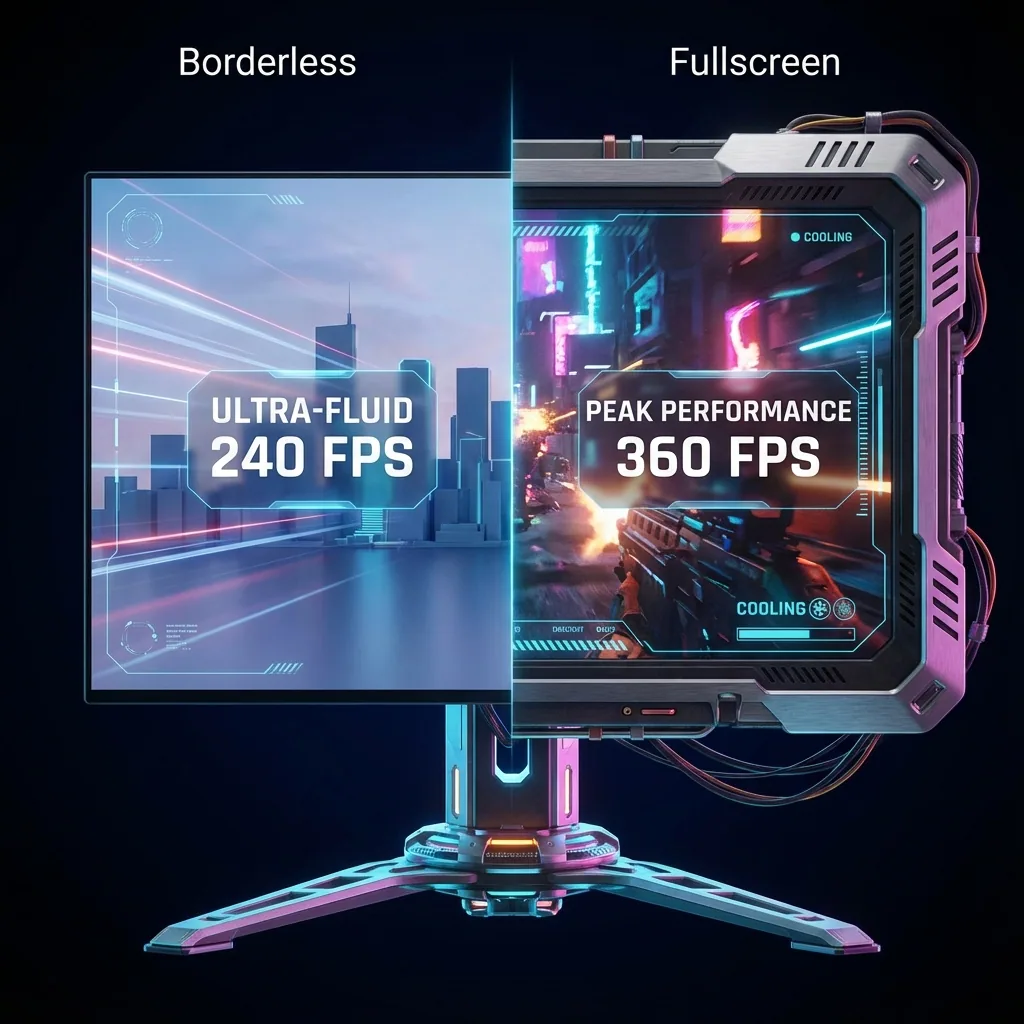
Quick answer: In League of Legends the setting lives in the game, not the client: Esc → Settings → Video → Window Mode, with Windowed / Borderless / Full Screen. In PUBG: Battlegrounds it is Settings → Graphics → Display → Display Mode, with Fullscreen / Fullscreen (Windowed) / Windowed. Fullscreen gives the best FPS, but alt-tab shows a black screen for a few seconds, the desktop resolution can change, and PUBG sometimes refuses to come back. Borderless (PUBG calls it Fullscreen (Windowed)) alt-tabs instantly and lets Discord or your streaming tools sit on top, at a small FPS and input-lag cost because frames go through the Windows compositor (DWM). That is why most LoL players run Borderless, and PUBG players run Fullscreen for ranked and Fullscreen (Windowed) when they alt-tab a lot. If you refuse to give up either, give the game a virtual monitor with Staged: it keeps fullscreen performance and you alt-tab freely.
People search "LoL borderless vs fullscreen" for two reasons: they cannot find the setting, or they do not know which of the three to pick. This guide gives the exact menu path in both games, explains what each mode does underneath, and covers the symptoms that are specific to LoL and PUBG (alt-tab black screen, the game that will not come back, PUBG's screen scale). The general mechanics of fullscreen versus borderless (DWM, fullscreen optimizations, how the gap shrank after 2018) are in Borderless vs fullscreen: the performance mechanics; this article stays with the two games.
What the three modes actually do
The names differ per game, but there are only three modes.
- Fullscreen (exclusive fullscreen): the game owns the display. It sets the resolution and refresh rate itself and the Desktop Window Manager steps aside. Best FPS and input lag, but the moment you alt-tab the display has to switch modes back to the desktop (the black screen), and the game minimizes when it loses focus. No window can be drawn over it; only overlays (Discord overlay, Xbox Game Bar) show.
- Borderless / Fullscreen (Windowed) (borderless windowed): a window without a title bar, stretched to the desktop resolution. To Windows it is just a big window, so alt-tab is instant, other windows can sit on top, and the mouse crosses to a second monitor. The DWM composites every frame before it reaches the screen, which is the small FPS and latency cost, and the resolution follows the desktop.
- Windowed: a normal window with a border and title bar. Resizable, but it covers only part of the screen. Same performance behaviour as borderless. Rarely used except for casual play next to another window.
One more thing: with Windows 10/11 fullscreen optimizations enabled, a game set to "Fullscreen" is in fact run by Windows as an optimized borderless window, and only gets direct control of the display when nothing else is on screen (Microsoft's DirectX team explains it in the source list below). That is why notifications appear over "fullscreen" games, why alt-tab is smoother than it used to be, and why the gap between the two modes is smaller than before 2018.
League of Legends: switching Window Mode to Borderless
LoL's window mode can only be changed inside a game, not in the client. The client is always a window; the game (Summoner's Rift, ARAM and so on) is a separate program.
- During a game (a Practice Tool or custom game is fine for setting it up) press Esc to open Settings.
- Pick Video in the left column.
- Next to Resolution find Window Mode and choose Windowed / Borderless / Full Screen.
- Press Done; it applies immediately, no restart. The same setting is stored in the Config folder of the game as WindowMode in game.cfg (0 = fullscreen, 1 = windowed, 2 = borderless), so if your choice keeps resetting, check that this file has not been made read-only.
The symptoms LoL players hit in Fullscreen
- Alt-tab shows a black screen for a few seconds. Switching from fullscreen LoL to Discord or a browser and back makes the screen go black and freeze briefly. That is the display re-syncing between the game's resolution and refresh rate and the desktop's. It is a property of the mode; you do not fix it, you avoid it with Borderless.
- The game minimizes on focus loss. Click a Discord notification, a window on the second monitor or a background pop-up and LoL drops to the taskbar, mid-teamfight. The ranked list of fixes is in Alt-tab without minimizing your game.
- Monitor flashes "no signal". On some systems the monitor blanks for a moment on alt-tab. Update the graphics driver first; a Korean Inven tip reports the symptom in DX11 mode and works around it by enabling "DX9 legacy mode", but that is a stopgap (DX9 mode drops performance options).
- Alt-tab return is unusually slow: suspect Windows too. Players on the OP.GG forum report the delay overlapping with Windows 11's Do not disturb (formerly Focus assist) and notification settings. Turn it off and compare.
- Stutter: try disabling fullscreen optimizations. Riot's support article says that if the game stutters or slows down, open the properties of League of Legends.exe → Compatibility → tick Disable fullscreen optimizations, and notes you have to redo it after every patch. Intel, on the other hand, recommends leaving the optimization on for the alt-tab black-screen problem, so test both depending on your symptom.
Why most LoL players choose Borderless
Alt-tab is instant, you can read OP.GG or watch YouTube during the loading screen and be back at once, and clicking the Discord window does not minimize the game. With two monitors the mouse crosses over naturally. And because LoL is a light game, most PCs hit the frame rate cap (the limit in Settings or the monitor's refresh rate) first, so the compositor cost rarely shows up in the FPS counter.
The honest cost is two things. FPS: Borderless goes through the DWM, so it lands slightly below Fullscreen. The only figure we have measured ourselves is Cyberpunk 2077: a windowed penalty of roughly 10–15 % on our rig. A game as light as LoL will most likely lose far less, but we have not measured LoL, so we promise no number. Input lag: in Borderless each frame passes through the compositor once more, so by design there is a little extra delay. On Windows 11, Settings → System → Display → Graphics → Optimizations for windowed games moves windowed and borderless games to the newer presentation model (flip model) and shrinks the difference further. Unless you are trading skill-shots at 240 Hz you will not feel it; if you are, the answer so far has been Fullscreen and no alt-tab.
PUBG: Battlegrounds: setting the Display Mode
PUBG lets you change it in the lobby and in a match.
- Esc → Settings (gear icon) → Graphics tab.
- Under Display, set Display Mode to Fullscreen / Fullscreen (Windowed) / Windowed. Older guides write "Windowed Fullscreen" or "Borderless"; it is the same option.
- Check Resolution, Screen Scale (70–120), Frame Rate Limit and V-Sync right below it, then Apply.
What is specific to PUBG
- In Fullscreen (Windowed) the resolution is locked to the desktop. If you want to render at 1080p on a 1440p monitor for FPS, lower Screen Scale instead of Resolution (100 = your monitor's resolution; 70 renders a 1080p desktop at 1344×756 and upscales). Fullscreen lets you change the resolution itself, but then every alt-tab changes the desktop resolution and scrambles your other windows.
- Alt-tab freeze or no re-entry. Reports that fullscreen PUBG hangs on a black screen after alt-tab, or will not let you back in if you alt-tab during matchmaking or loading, go back to the earliest tips on Korea's Inven boards. The long-standing workaround was "Fullscreen while playing, switch to Fullscreen (Windowed) when you stop"; if you alt-tab a lot, starting in Fullscreen (Windowed) is less tiring.
- Fullscreen gives slightly higher and steadier FPS. Unlike LoL, PUBG is GPU-heavy, so the compositor cost shows more. How much depends on hardware, resolution and driver, so we will not put a number on it; the community itself is split between "no real difference any more" and "Fullscreen is clearly better". The accurate way is to compare in the training range from the same spot.
- Fullscreen optimizations. There are reports of laptops stuck at 60 FPS only in Fullscreen, fixed by TslGame.exe properties → Compatibility → Disable fullscreen optimizations. As with LoL, only touch it when you have a symptom, and turn it back on if alt-tab black screens appear.
- Multi-monitor. In fullscreen PUBG, clicking Discord on the second monitor minimizes the game, and the mouse sometimes refuses to leave the game screen. Fullscreen (Windowed) fixes both, at the FPS cost above. Details in Second monitor while gaming without minimizing.
Side by side: mode × alt-tab × FPS × multi-monitor
| Mode | LoL label | PUBG label | Alt-tab | FPS and input lag | Multi-monitor | Windows on top |
|---|---|---|---|---|---|---|
| Exclusive fullscreen | Full Screen | Fullscreen | Slow (black screen, minimizes) | Best | Clicking monitor 2 minimizes, mouse stays trapped | No (overlays only) |
| Borderless window | Borderless | Fullscreen (Windowed) | Instant | Small cost (compositor) | Mouse moves freely, no minimize | Yes |
| Windowed | Windowed | Windowed | Instant | Same as borderless | Free | Yes (part of the screen covered) |
In short, until now you had to pick performance or convenience. If you want fullscreen performance and free alt-tab, with Discord and your streaming tools visible on the same monitor, Staged gives the game its own virtual monitor and shows that monitor as a window (the Game Stage) on your real screen. LoL and PUBG run in Fullscreen on that virtual monitor, so alt-tab or a click on Discord does not minimize them, and Discord, OBS or chat stay in zones beside the game. Measured: direct hardware scanout on Windows 11 with zero compositor overhead, sub-frame latency (the stage shows the same frame as the game), under 0.2 ms processing overhead, and up to 2× FPS in a GPU-bound A/B when the render resolution is lower than the panel (lab page). No game hooks, no injection, no anti-cheat risk: Staged never touches the game process, Vanguard included. One honest limit: a virtual monitor fixes minimizing and focus stealing; it does not stop an engine that pauses on lost focus (online games like LoL and PUBG do not pause, so it does not apply here). Download Staged.
Frequently asked questions
What is the difference between Borderless and Full Screen in League of Legends?
Full Screen lets the game own the display, so FPS and input lag are best, but alt-tab shows a black screen for a few seconds and the game minimizes when it loses focus. Borderless is a window without a frame at the desktop resolution: alt-tab is instant and windows like Discord can sit on top, at a small FPS and latency cost from the Windows compositor. The setting is in-game under Esc → Settings → Video → Window Mode.
Does Borderless lower FPS in League of Legends?
By design a little. LoL is light, though, so most PCs hit the frame rate cap or the monitor's refresh rate first and the number barely moves. The only figure we have measured is Cyberpunk 2077 with a windowed penalty of roughly 10–15 % on our rig; LoL will most likely lose far less, but we have not measured it.
Does Borderless add input lag in LoL?
Each frame passes through the compositor once more, so a little extra delay is real. Turning on "Optimizations for windowed games" in Windows 11 applies the flip model and shrinks it further, and most players cannot feel it. If that margin matters to you at high refresh rates, stay in Full Screen or keep fullscreen on a virtual monitor.
PUBG: Fullscreen or Fullscreen (Windowed)?
For FPS alone, Fullscreen is slightly ahead and frame times are steadier. If you alt-tab often or keep Discord or streaming tools in view, Fullscreen (Windowed) is more comfortable and avoids the alt-tab freeze and no-re-entry problems of Fullscreen. Many players use Fullscreen for ranked and Fullscreen (Windowed) for squads and streaming.
Why can't I change the resolution in PUBG Fullscreen (Windowed)?
That is normal: Fullscreen (Windowed) follows the desktop resolution, so the Resolution field has no effect. To reduce render load, lower Screen Scale (70–120) on the Graphics tab. 100 is your monitor's resolution; lower values raise FPS and soften the image.
Why does alt-tab from fullscreen show a black screen?
Exclusive fullscreen holds the display at the game's resolution and refresh rate, so alt-tab forces a switch back to the desktop mode; that switch is the black screen, and it happens again on the way back. Avoid it with Borderless (Fullscreen (Windowed) in PUBG), or check that fullscreen optimizations are enabled and update the graphics driver.
Should I disable fullscreen optimizations for LoL or PUBG?
Only if you have a symptom. Riot suggests ticking "Disable fullscreen optimizations" on League of Legends.exe when the game stutters, and PUBG laptops stuck at 60 FPS have been fixed that way. Intel recommends the opposite for alt-tab black screens: leave it on. Run each setting for a few days and compare.
Can I see Discord while playing LoL or PUBG in fullscreen on one monitor?
Not with the normal tools: the options were Borderless with Discord on top, or the overlay. Staged runs the game fullscreen on a virtual monitor and shows it in a zone on your real monitor, so Discord and streaming tools sit in zones beside it while the game keeps its fullscreen path.
Sources
- Riot Games Support: Lag – Disabling Full Screen Optimization.
- Microsoft DirectX Developer Blog: Demystifying Fullscreen Optimizations, For best performance, use DXGI flip model.
- Microsoft Support: Optimizations for windowed games in Windows 11.
- Intel Support: Black Screen When Using Alt+Tab or Exiting Fullscreen Games in Windows.
- Staged: measured performance lab.
Keep LoL and PUBG in fullscreen and still alt-tab freely
Staged runs the game on a virtual display so it never minimizes when you alt-tab, and keeps it big on one monitor with Discord and your streaming tools beside it. It is coming to Steam. Add it to your wishlist and be among the first to play.
Related reading: